The schedule checked, the order drafted, the alert explained.
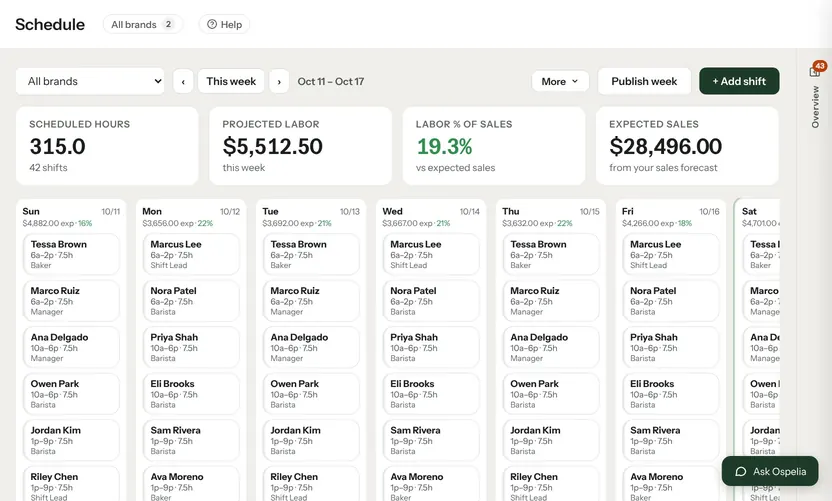
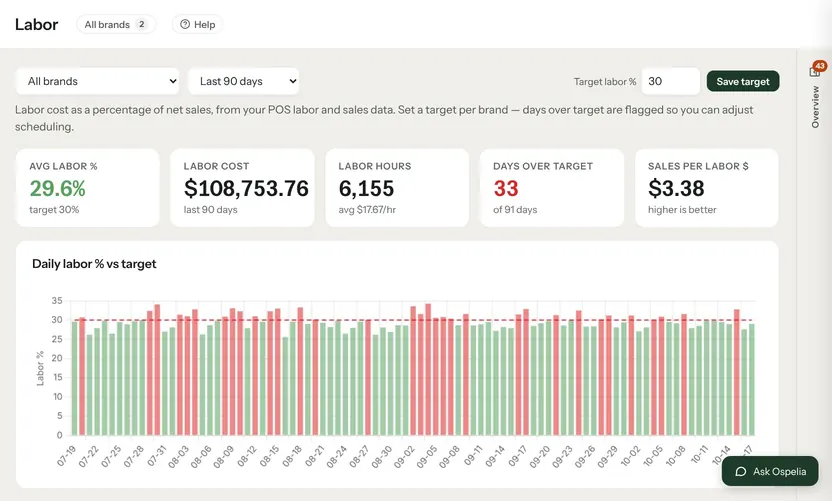
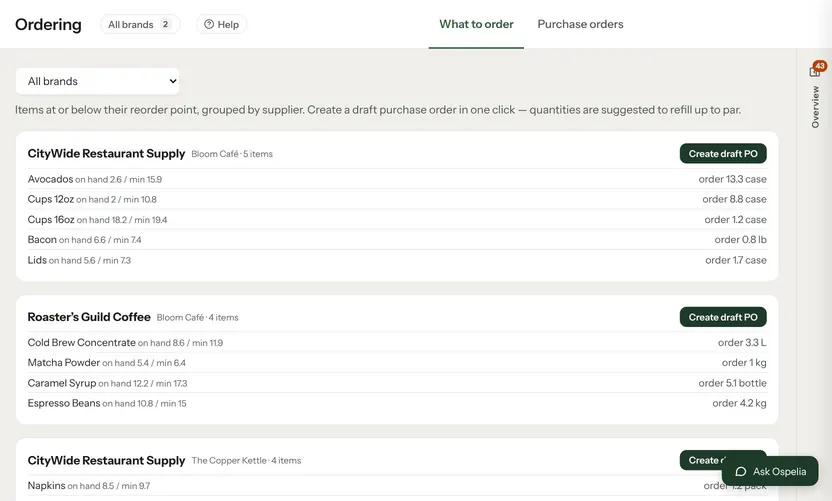
Check next week's schedule against expected sales, draft supplier orders for everything at or below par, and open any alert to see why it fired, what to do, and a draft fix like a staff note or a text offer.

Example data from the demo café in the live product.
What Ops drafts & alerts does.
Schedule check
Labor for the next 7 days against expected sales, with specific changes to make.
Reorder what's low
Items at or below par grouped by supplier and saved as draft orders. Nothing goes to suppliers until you send it.
Alerts, explained
Why labor ran high or sales dipped, with the numbers and the next steps.
A draft fix
A staff note, a text offer or a post, ready to save.
Connected to
Nothing in Ospelia sits on its own. Ops drafts & alerts reads from and feeds these.
Good to know
Does it change the schedule?
No. It suggests changes; you make them in the schedule.
Let the assistant do the legwork.
Included in Operations. Unlimited users. Set up in about fifteen minutes.
7-day free trial · card required, nothing charged for 7 days · cancel any time