Find the guests who stopped coming, and bring them back.
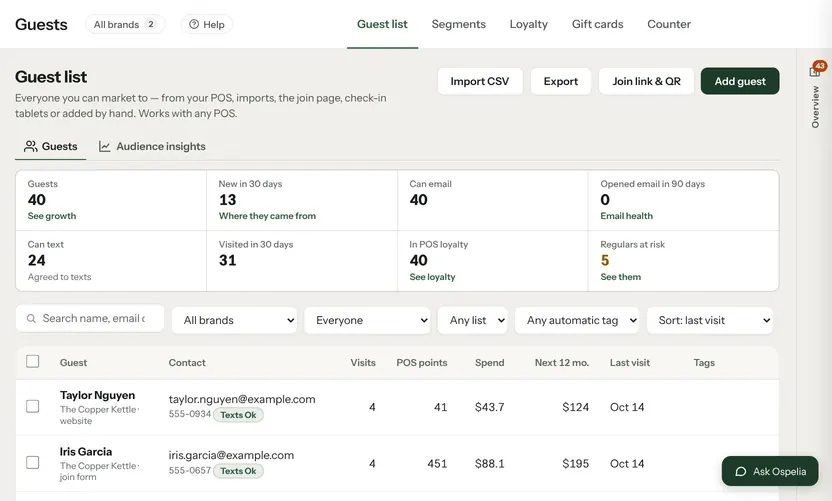
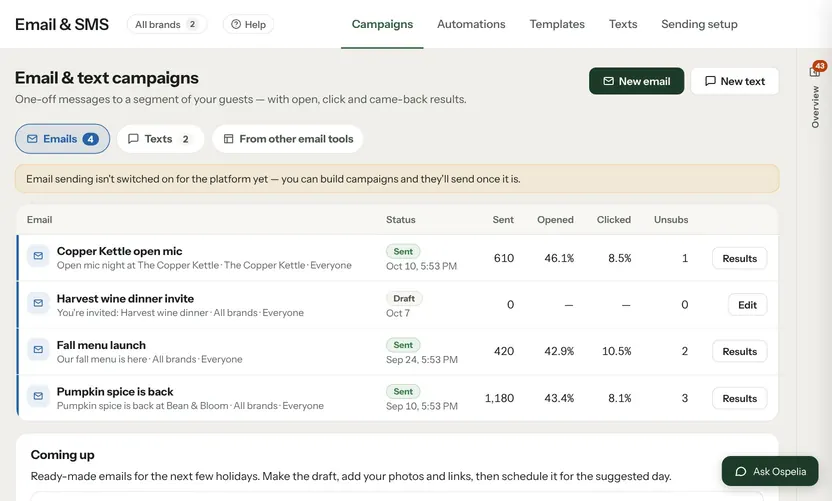
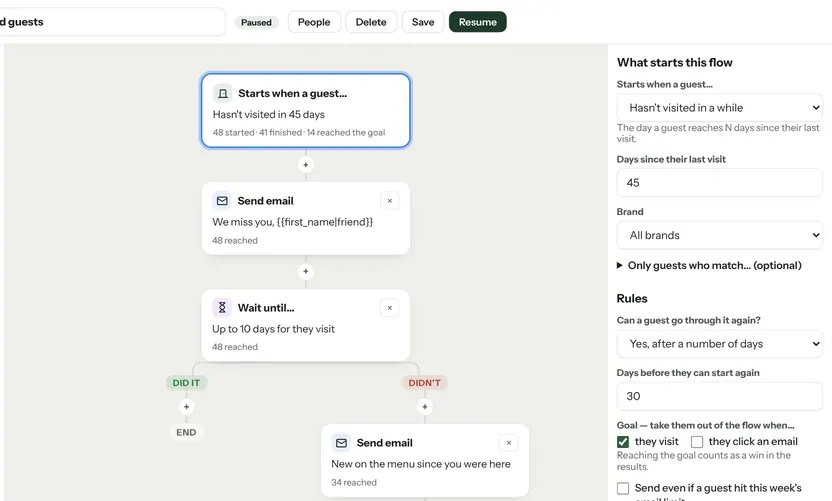
From your POS guest list: regulars who haven't been in for 45 days, first-timers who never came back, and your biggest spenders. Each group comes with an email and a text written for it, and saves as a segment in one click.

Example data from the demo café in the live product.
What Win back guests does.
Groups from your POS
Built from visits and spend, counted by who you can email or text.
Save as a segment
One click, and the group is ready in Campaigns.
Messages written
An email and a text for each group, saved to This Week to send when you're ready.
Your rules
Opt-outs and quiet hours apply when you send, as with every campaign.
Connected to
Nothing in Ospelia sits on its own. Win back guests reads from and feeds these.
Good to know
Where does the guest list come from?
Your POS customers (Square syncs today) plus anyone who signs up through your forms and pages.
Let the assistant do the legwork.
Included in Marketing. Unlimited users. Set up in about fifteen minutes.
7-day free trial · card required, nothing charged for 7 days · cancel any time