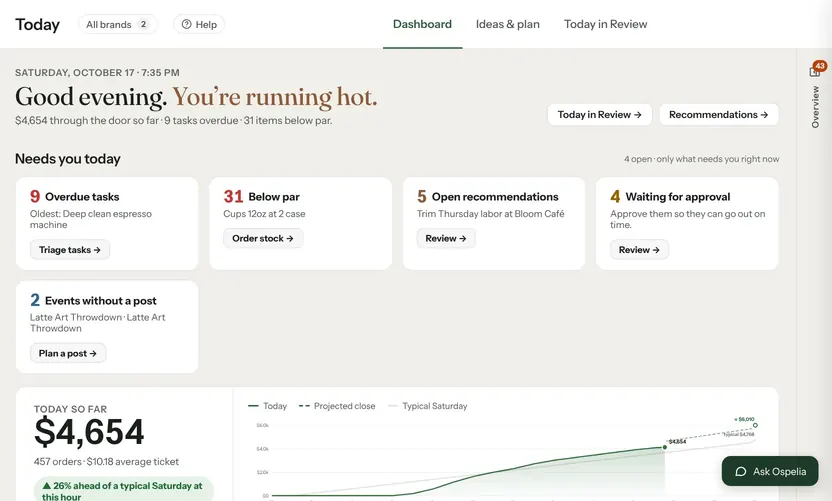
A sales forecast is the number every other decision in the week hangs on. The schedule, the prep list, the order and the cash you need on hand all depend on how much you expect to sell. Most restaurants already forecast; they just do it in their head, by copying last week.
This guide covers a method you can do by hand in fifteen minutes on a Sunday, how to adjust it for things you already know about, and how to tell whether your forecasts are any good.
Start from the same weekday
Sales follow the day of the week more than anything else. A café's Saturday looks like other Saturdays, not like the Friday before it. So the starting point for each day is the same weekday over recent weeks.
Take the last four of that weekday and average them, leaving out any that were unusual (a holiday, a storm, a big event).
Example: the last four Tuesdays came in at $3,520, $3,610, $3,450 and $3,700.
Baseline = (3,520 + 3,610 + 3,450 + 3,700) ÷ 4 = $3,570
Four weeks is enough to smooth out a single odd day without missing a trend. Eight weeks is steadier but slower to notice when things change.
Adjust for momentum
If the last few weeks have all been running above or below the weeks before, carry that forward.
Momentum = sales over the last 4 weeks ÷ sales over the 4 weeks before that
Example: the last four weeks did $101,000 and the four before did $98,000. Momentum is 101,000 ÷ 98,000 = 1.03, so business is running 3% ahead.
Tuesday forecast = 3,570 × 1.03 = $3,677
Keep momentum within sensible limits. A single strong week shouldn't make you forecast 20% growth.
Adjust for the season
If you have last year's numbers, look at how the same weeks moved last year. If sales last year rose 8% from mid-October to early November, expect something similar this year, on top of this year's level.
Seasonal factor = last year's sales for the coming week ÷ last year's sales for the 4 weeks before it
Without a year of history, skip this step and lean on momentum.
Add what you know
The numbers can't see what's on your calendar. Add or take away for:
- Events: a festival nearby, a game, a school holiday
- Your own plans: a promotion, a new menu launch, a private event
- Catering: add confirmed catering orders on top of the forecast rather than counting on them to show up in walk-in sales
- Weather, if your patio or foot traffic depends on it
Write down the reason for each adjustment. When you check the forecast later, you'll learn which ones were worth making.
A worked week
| Day | Baseline | × Momentum 1.03 | Known adjustments | Forecast |
|---|---|---|---|---|
| Mon | $3,600 | $3,708 | $3,708 | |
| Tue | $3,570 | $3,677 | $3,677 | |
| Wed | $3,650 | $3,760 | $3,760 | |
| Thu | $3,560 | $3,667 | Latte art night +$300 | $3,967 |
| Fri | $4,250 | $4,378 | $4,378 | |
| Sat | $4,700 | $4,841 | Rain forecast −$250 | $4,591 |
| Sun | $4,850 | $4,996 | $4,996 | |
| Week | $29,077 |
Check how good it is
A forecast you never check never gets better. Two numbers are worth tracking:
- Accuracy: how far off each day was, as a percentage. Example: forecast $3,677, actual $3,540, so the miss is 137 ÷ 3,540 = 3.9%, and accuracy is 96.1%. Average it over 30 days.
- Bias: whether you miss in the same direction. If you're under on most days, your forecasts are too cautious. If you're over on most days, they're too hopeful. A bias near zero matters more than a perfect single day.
Write the forecast down before the day starts and don't change it afterwards. A forecast you adjust at 2 PM to match what's happening can't tell you anything.
Put it to work
- Schedule: turn each day's forecast into a labor budget and a number of hours (see Labor cost percentage).
- Prep: forecast each menu item for the day and prep from that (see Prep list from a forecast).
- Ordering: order for the week you expect, not the week you had.
How Ospelia does it
The Sales forecast builds each day from the same weekday in your own history, then applies recent momentum and last year's seasonality when there's a year of data. Today's number locks before you open, so accuracy and bias are measured against what was forecast that morning, and both show on the forecast page.
Scheduling puts each day's expected sales on the schedule, so labor percent updates with every shift you add. Prep lists forecast each menu item for the day and multiply through your recipes to show what to prep.